9 min read
in-lite HUB and cable: which transformer to choose
in-lite makes four HUBs from 75 to 300 VA and two cables: 14/2 up to 40 m and 10/2 up to 80 m. How to add up the VA of your lights and pick HUB, cable and app.
An in-lite transformer is called a HUB, and it turns the 230 volts from the socket into 12 volts for your garden lights. You add up the VA values of all your fixtures and choose a HUB well above that total. The HUB-75 supplies 75 VA, the SMART HUB-150 150 VA and the SMART HUB-300 300 VA.
Buy in-lite garden lighting and the dealer shows you four black boxes and two rolls of cable that look alike. The difference is in four numbers: how much VA the HUB supplies, how many cables run out of it, how much VA one cable may carry and how far that cable may run.
Which in-lite HUB do you need?
Choose on the total of your lights first, then on how you want to control them. The HUB-75 and the SMART HUB-75 both carry 75 VA. The SMART HUB-150 carries twice that, split over three cables. The SMART HUB-300 carries 300 VA and works only with the thick 10/2 cable.
| HUB | Total | Cable outputs | Per output | 14/2 cable | 10/2 cable | Control |
|---|---|---|---|---|---|---|
| HUB-75 | 75 VA | 2 | 75 VA | up to 40 m | up to 80 m | buttons, light sensor and timer; both outputs together |
| SMART HUB-75 | 75 VA | 2 | 75 VA | up to 40 m | up to 80 m | in-lite app over Bluetooth, per output |
| SMART HUB-150 | 150 VA | 3 | 100 VA | up to 40 m | up to 80 m | in-lite app, per output |
| SMART HUB-300 | 300 VA | 3 | 130 VA | not suitable | up to 160 m | in-lite app, per output |
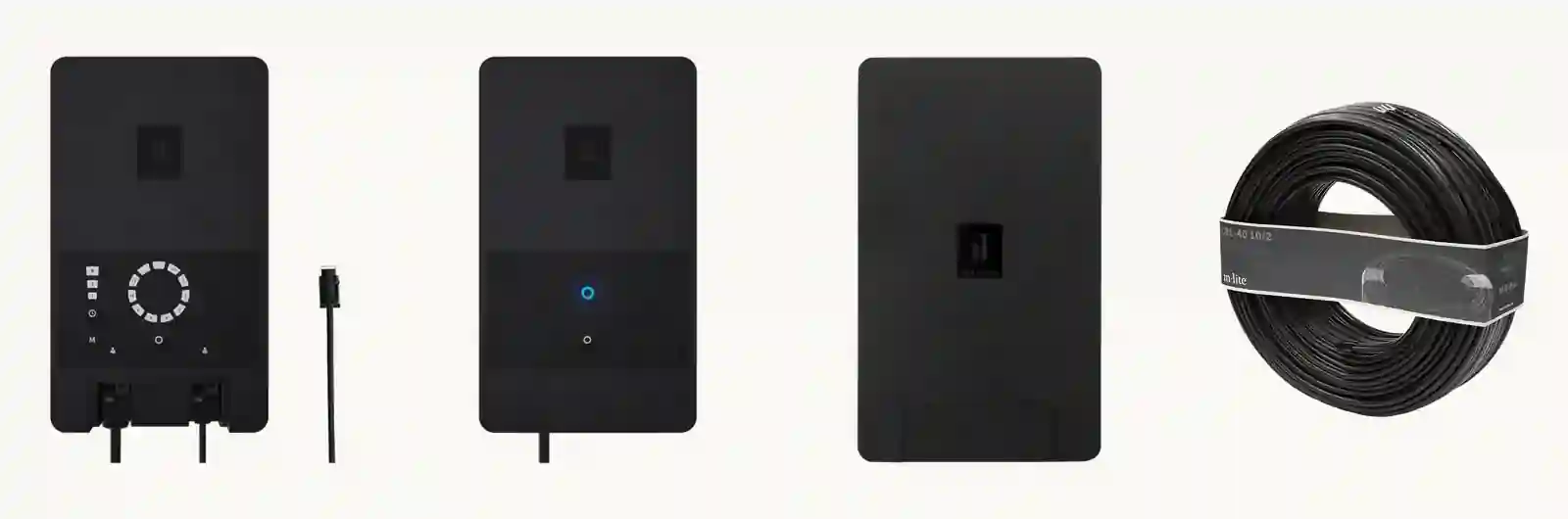 From left to right: HUB-75, SMART HUB-75, SMART HUB-150 and the 10/2 cable. Product photos by in-lite.
Mind the unit. in-lite rates a HUB in VA rather than watts, because every fixture carries a VA value too. The two figures differ: a SCOPE spot uses 3 W but counts for 5.2 VA on the HUB. Add up watts and you pick a HUB that is too small. The VA value is on the box, in the manual and on the product page of each fixture.
The number in the name is the capacity. A SMART HUB-150 therefore takes more or heavier lights than a HUB-75. in-lite gives no percentage for the margin, but it advises a HUB well above your total, so you can add lights later. Spread the lights over the outputs as well. On a SMART HUB-150 one output may carry 100 VA, not the full 150.
A HUB hangs under cover, somewhere out of rain and snow. Where that is not possible, in-lite sells a protective cover for it, the HUB PROTECTOR. And the HUB belongs with in-lite lights: parts from another brand void the five-year warranty.
How long can an in-lite cable be: 14/2 or 10/2?
A 14/2 cable may run 40 metres, a 10/2 cable 80 metres. You measure that distance along the cable, from the HUB to the farthest end point. A branch counts, and the limit applies per cable output. Two cables out of one HUB may therefore each run 40 metres.
You recognise the thick cable by the print "10AWG" and "2 x 5.26 mm2" and by its width of 10 mm. The thin one reads "14AWG". Both have two cores and work at 12 volts.
You do not choose the 10/2 for more lights but for a longer distance. It is thicker and so loses less voltage over the same length. For a short route along a terrace and a border the 14/2 is enough. If one cable has to reach a tree at the back of a deep garden or a pond on the far side, check the route: once an end point lies more than 40 metres from the HUB, it becomes the 10/2.
Other figures apply on the SMART HUB-300. There the 10/2 may run up to 160 metres, and the 14/2 does not fit it. That is the HUB for a garden where the farthest light stands far from the house.
Lay the cable in a line. in-lite states the maximum length for a cable laid in a line, from the HUB to an end point. A ring that comes back into the HUB with both ends is not how the system is meant to be wired. A cable along a border often follows the edge of a terrace or path; how to choose that edge is in which garden edging suits lawn, gravel and a sandpit.
How a light and a branch connect
Every in-lite fixture comes with an EASY-LOCK. You clamp it onto the main cable at any point you like, so you do not need to know in advance where each light goes. The joint is filled with gel, which is why it may sit on or under the ground.
When a light stands further from the main cable, an extension cable of 1, 2 or 3 metres bridges the gap. Move a light later and you take the EASY-LOCK off and clamp it on somewhere new.
A second cable attaches to the first with the CC-2 cable connector. That can be at the end, but also halfway along, so you reach another part of the garden. in-lite adds a caution of its own: not too many branches. A branch counts in the length of the cable it hangs from.
Draw a cable plan before you dig. Mark the HUB, the lights and the route of each cable, and write the VA value beside every fixture. In in-lite's own cable plan the fixtures add up to 75.1 VA, just over a HUB-75. That is exactly the moment to split an output or take a larger HUB.
Worked example: six spots and two wall lights
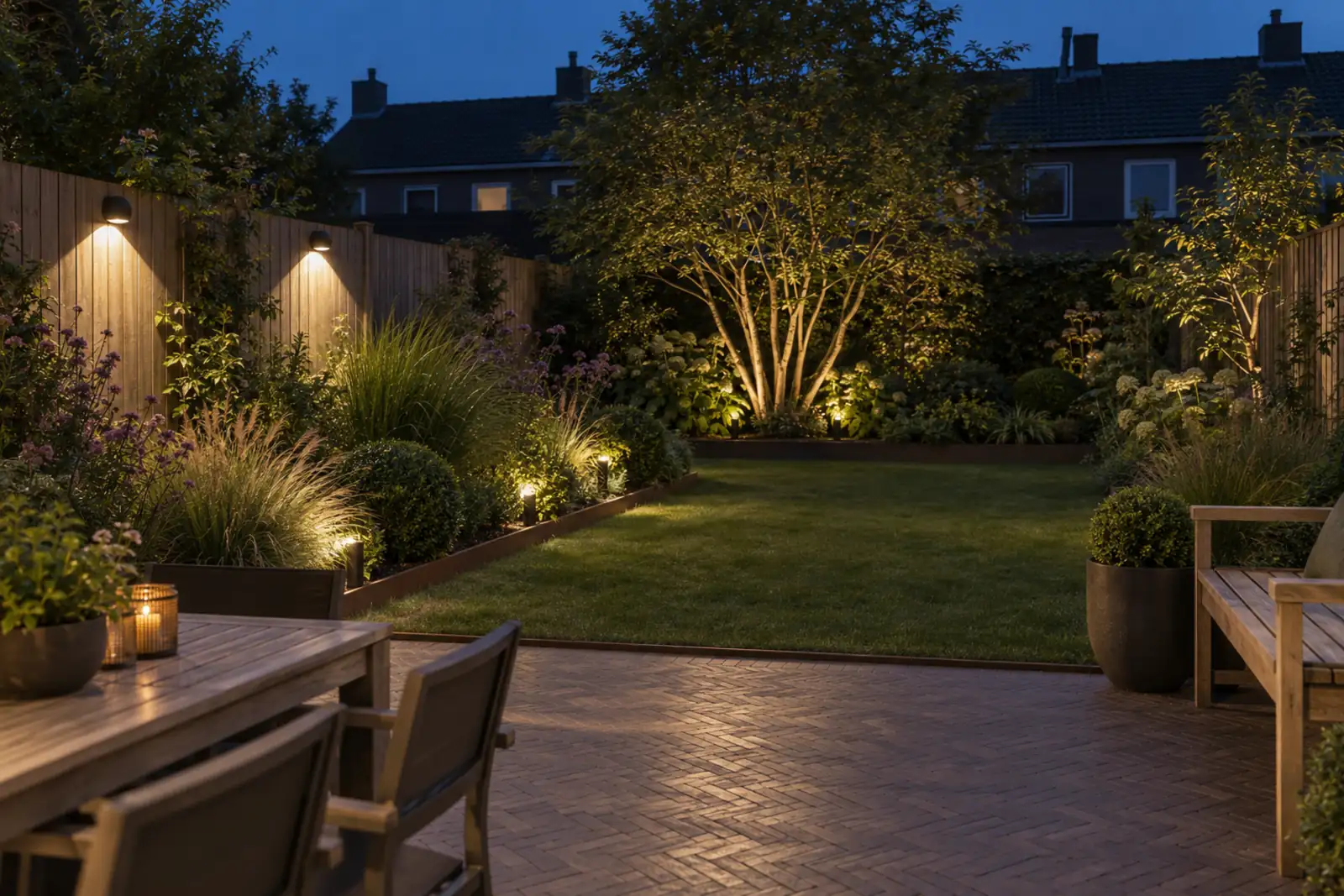
Take a back garden of six by twelve metres. You want six SCOPE spots in the borders and two HALO DOWN BLACK wall lights on the fence. A SCOPE counts for 5.2 VA, a HALO DOWN BLACK for 5 VA.
| Light | Number | VA each | Together |
|---|---|---|---|
| SCOPE | 6 | 5.2 VA | 31.2 VA |
| HALO DOWN BLACK | 2 | 5 VA | 10 VA |
| Total | 8 | 41.2 VA |
A HUB-75 carries 75 VA, so 31.2 VA plus 10 VA fits, with 33.8 VA left for later lights. You do not need a SMART HUB-150.
Hang the HUB under a canopy on the back wall of the house. Run the first output along the left border to the back, with the six spots on it. Say the farthest spot is 15 metres of cable from the HUB: well inside the 40 metres of the 14/2. The second output runs along the fence to the two wall lights.
Choose the SMART HUB-75 if you want to switch the wall lights apart from the spots. Each output is then a group of its own in the app: the spots can go off earlier, while the wall lights by the terrace stay on until you go inside. With the HUB-75 both cables go on and off at once.
Plain HUB or SMART HUB: what does the app switch?
The app switches and dims per cable output, never per light. A SMART HUB has two or three outputs, and each of them is a group you turn on, off or onto a schedule on its own. Lights on one cable always follow together.
You work the HUB-75 with buttons on the box. It switches with the supplied light sensor and a timer, and its two outputs go together. If you want everything on at dusk and off after a set number of hours, that is enough.
The SMART HUBs work with the in-lite app for iOS and Android, over Bluetooth Low Energy. Point the front of the HUB at the place where you use the app most, and the connection holds best.
To control the lights over the internet there is the SMART BRIDGE. It links the SMART system to the internet and to Google Home, Apple Homekit, Amazon Alexa and other systems that speak Matter. You can then switch the garden lights on with a voice command too.
Drawing your in-lite lights in tuinontwerp.app
Which HUB and which cable you need only becomes clear once the lights stand in their places. In tuinontwerp.app you put your own plot down to scale, with your house, terrace and borders. Under Lighting you choose a brand first, then that brand's lights. Lights, cable and transformer of one brand work together; the app does not mix brands, just as your garden cannot.
An in-lite light appears in the app at the size in-lite gives on its product page. A wall light goes on the house wall, a shed or a fence, and a pond light goes in the pond or on its edge. You draw the cable as a line through the garden, and the 14/2 shows "Up to 40 m from the transformer". The overview lists per brand the lights, the transformers, the metres of cable and the load of your lights against your HUB, in VA. If the lights ask more than the HUB delivers, or a cable runs too far, the app says in one sentence what is wrong and what to do about it; under Needed it names the HUB you need, and how many. Set the clock to the evening and you see where your lights shine.
Working with another brand? Read how the Lightpro transformer and cable work, or the Garden Lights transformers with their 75 percent rule. More on building your garden is in the construction category.
Add up the VA, choose the HUB, and keep each cable within 40 or 80 metres. Start at the address field at the bottom of this page and place the lights in your own garden.
Frequently asked questions
How many lights can I connect to an in-lite HUB-75?
That depends on the VA value of your lights, not on how many there are. The VA of all fixtures together must stay under 75 VA. Six SCOPE spots at 5.2 VA and two HALO DOWN wall lights at 5 VA come to 41.2 VA, so they fit with room to spare.
How long can an in-lite cable be?
A 14/2 cable can run 40 metres and a 10/2 cable 80 metres. You measure along the cable from the HUB to every end point, branches included, and the limit applies per cable output. On the SMART HUB-300 the 10/2 can run up to 160 metres.
Can I use another transformer with in-lite lights?
No. in-lite states that the warranty lapses once you use parts in the system that are not made by in-lite. Use an in-lite HUB, cable and cable connectors.
Can the in-lite app switch one light on its own?
No. A SMART HUB controls each cable output, not each light. If you want the spots at the tree separate from the path lights, give them their own cable from the HUB.
What is the difference between the HUB-75 and the SMART HUB-75?
Both supply 75 VA over two cable outputs. You work the HUB-75 with buttons, and it switches with a light sensor and timer; both outputs go on and off together. The SMART HUB-75 works with the in-lite app over Bluetooth, and there you switch each output separately.
Sources (12)
- in-lite — Transformatoren: vergelijkingstabel van de HUBs
- in-lite — Kabels: 14/2 en 10/2
- in-lite — Veelgestelde vragen (kabellengte, garantie, aansturing per lijn)
- in-lite — Kabelplan maken
- in-lite — HUB-75
- in-lite — SMART HUB-75
- in-lite — SMART HUB-150
- in-lite — SMART HUB-300
- in-lite — EASY-LOCK
- in-lite — SMART BRIDGE
- in-lite — SCOPE (vermogen en VA-waarde)
- in-lite — HALO DOWN BLACK (vermogen en VA-waarde)